Use cases
Support offline & air-gapped customers
License machines with no internet: standalone offline license files, long-lived air-gapped leases, importing a signed coverage block by file, and when to choose offline over online activation.
Goal. License a machine that can’t — or won’t — reach your service: a disconnected workstation, a secured enterprise network, an embedded box. Everything the customer needs arrives as a signed file, verified locally, and nothing phones home.
When to use it
- Use this if some customers run on isolated networks, or you sell into regulated environments where outbound connections are forbidden.
- Use this if a normally-online customer must survive a long outage and the 14-day lease window isn’t enough.
- Not this if your customers are routinely connected — plain online activation already works offline between refreshes and gives you live seat enforcement and revocation. Offline licensing trades those away for independence from the network.
There are three offline building blocks, and they’re independent — pick what the situation needs:
| Building block | What it is | Seats? | Revocable? |
|---|---|---|---|
Offline license file (license.json) | A standalone signed license — no activation round-trip ever | No seat tracking | Only via a shipped revocation list |
| Offline (air-gapped) lease | An ordinary signed lease, minted for one machine, with a long TTL | Yes — confirms a seat when issued | On re-check (none, if never online) |
| Coverage block file | The signed release-coverage block, delivered as a file | — | Replaced by a newer file |
All three verify with the same embedded public key your app already carries, using the same RSA/SHA-256 checks as online leases — so “offline” changes only how the signed document is delivered, never how it’s trusted. The depth of the lease/anti-rollback model lives in Security & the lease model; this page is the task.
When to choose offline vs online
Reach for online activation by default — it gives you live seat enforcement and revocation, and still runs offline for the whole lease window between refreshes. Choose an offline path when:
- The machine can reach you occasionally but not reliably → online activation with a widened lease TTL usually suffices; only move to an air-gapped lease (365-day default) if it may be dark for longer than any lease window you’re comfortable with.
- The machine will never reach you → an air-gapped lease (keeps per-machine binding and seat counting) or a standalone license file (no network for you or the customer, no seat tracking — best for embedded/truly isolated deployments).
What you do (vendor side)
Offline (air-gapped) lease — bound to one machine
The customer sends you their machine id; you mint a long-lived lease for it:
# the customer reads their machine id first:  keyright machine-id   (or MachineFingerprint.Current().ToBoundString())
curl -X POST $BASE/admin/licenses/LIC-…/offline-lease -H "X-Admin-Token: $TOKEN" -H "content-type: application/json" \
  -d '{"machineId":"KRM1:…","days":365}'  > offline-lease.json
# -> { "machineId":"KRM1:…", "ttlDays":365, "lease":"{…signed lease JSON…}" }
Minting an offline lease confirms a seat for that machine, so air-gapped activations still count against the seat limit — you can’t mint unlimited offline leases past the seat count. The lease is bound to that one fingerprint, so the file is useless on any other machine (MachineMismatch).
In the dashboard this is the license’s License file action — it signs the offline lease for the machine id you supply and hands you the JSON to deliver:
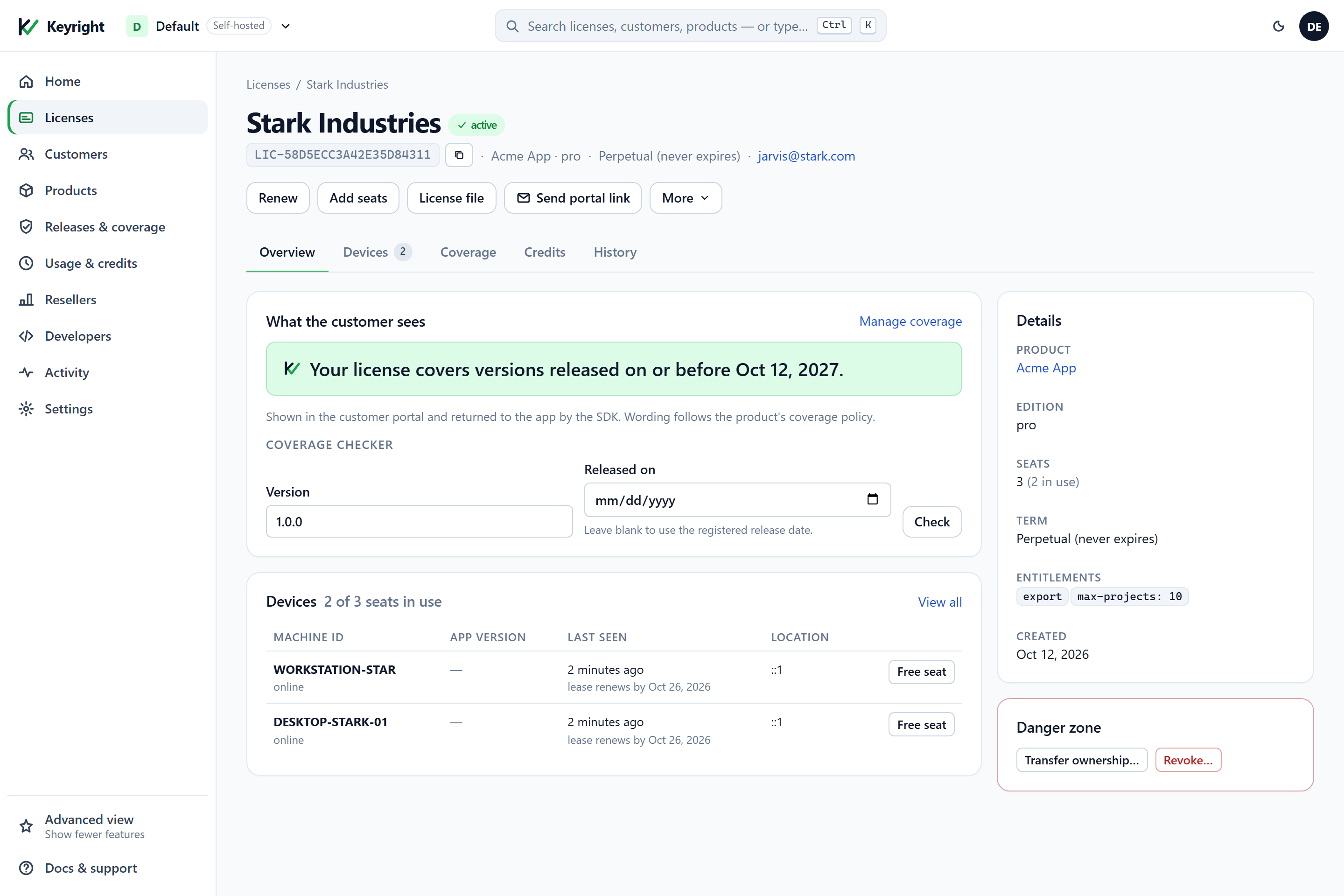
offline-lease call above — which you deliver to the air-gapped box by file.Standalone offline license file — no service at all
For genuinely isolated or embedded deployments, sign a license file with the CLI and ship it with the product — no activation, ever:
keyright license --sign --licensee "Acme Corp" --product acme-app --tier pro \
  --private-key acme-app.private.json --expiry 2027-12-31 --out license.json
There’s no seat tracking in this mode; it’s the fit for air-gapped and embedded boxes. To cut off such a build you ship a signed revocation list (GET /admin/revocation-list) with your next update.
Coverage block file — for air-gapped machines that enforce release coverage
A disconnected machine can’t receive its coverage block on activation, so deliver it as a file:
# one license
curl $BASE/admin/licenses/LIC-…/coverage/block -H "X-Admin-Token: $TOKEN"
# -> { "block":"…signed envelope…" }

# every license of a product, for bulk air-gapped delivery
curl $BASE/admin/products/acme-app/coverage/export -H "X-Admin-Token: $TOKEN"
# -> { "product":"acme-app", "count":5, "items":[ { "licenseId":"…", "coverageBlock":"…" }, … ] }
A renewal for an air-gapped customer is just a newer coverage file: it carries a higher sequence number, so it replaces the cached one, while an older file is refused (anti-rollback). The export honors your entitlement exactly like activation, so it can never lock anyone out.
In your code
Everything below verifies locally, with no network, against the public key the client already embeds. The three paths are shown in every SDK (coverage-block import is a .NET call today — the other SDKs use the lease path, or verify the envelope over raw HTTP):
.NET
using Keyright.Client;
using Keyright.Coverage;

// (A) Standalone license file / env var: just validate what's present — Validate() discovers it by
//     explicit path, the KEYRIGHT_LICENSE env var, ConfigLicensePath, or the OS app-data location.
LicenseInfo info = License.Validate();          // offline, never throws; fails closed to Free on any problem
if (info.IsPaid) { /* licensed */ }

// (B) Air-gapped lease: import the file the vendor signed for THIS machine. This one DOES throw if invalid.
try
{
    LicenseInfo leased = License.ImportOfflineLease(File.ReadAllText("offline-lease.json"));
    // leased.Status == Valid, fully offline; wrong machine/product/signature/expiry -> throws
}
catch (InvalidOperationException ex) { ShowOfflineLeaseError(ex.Message); }

// (C) Coverage block file: import the signed envelope; verifies, binds to the license, enforces anti-rollback.
CoverageVerifyResult r = License.ImportCoverageBlock(File.ReadAllText("acme.coverage.json"));
if (!r.Ok)
{
    // r.Status: Malformed | UnknownKey | BadSignature | RolledBack | WrongBinding | UnsupportedVersion
    ShowImportError(r.Status);
}
Node.js
const fs = require('fs');

// (A) Offline validate — synchronous, no network, never throws; failures resolve to 'free'.
const { info } = license.validate();
if (info.isPaid) { /* licensed */ }

// (B) Air-gapped lease: import the file the vendor signed for THIS machine. Throws if invalid.
try {
  const leased = license.importOfflineLease(fs.readFileSync('offline-lease.json', 'utf8'));
  // leased.isValid === true, fully offline
} catch (err) { showOfflineLeaseError(err.message); }

// (C) Coverage block file: no SDK call in Node — import it with the .NET SDK, or verify the
//     signed envelope yourself over raw HTTP (below).
Python
# (A) Offline validate — no network, never raises; failures resolve to Edition.FREE.
info = license.validate_info()
if info.is_paid:
    ...  # licensed

# (B) Air-gapped lease: import the file the vendor signed for THIS machine. Raises if invalid.
try:
    with open("offline-lease.json", encoding="utf-8") as f:
        leased = license.import_offline_lease(f.read())   # leased.is_valid, fully offline
except ValueError as ex:
    show_offline_lease_error(str(ex))

# (C) Coverage block file: no SDK call in Python — use the .NET SDK, or verify the envelope over raw HTTP.
Java
import java.nio.file.Files;
import java.nio.file.Path;

// (A) Offline validate — no network, never throws; failures resolve to Edition.FREE.
LicenseInfo info = client.validateInfo();
if (info.isPaid()) { /* licensed */ }

// (B) Air-gapped lease: import the file the vendor signed for THIS machine. Throws if invalid.
try {
    LicenseInfo leased = client.importOfflineLease(Files.readString(Path.of("offline-lease.json")));
} catch (IllegalArgumentException | IllegalStateException ex) {
    showOfflineLeaseError(ex.getMessage());
}

// (C) Coverage block file: no SDK call in Java — use the .NET SDK, or verify the envelope over raw HTTP.
Any language (raw HTTP)
# (A/B) An offline lease is an ordinary signed lease with a long leaseExpiresUtc — verify it with the
#       EXACT same code as an online lease: rebuild the canonical payload, RSA-verify, then check
#       product / machine / expiry, failing closed on anything. See "Use the HTTP API directly".
#       (Offline leases are never marked trial, so no |trial suffix applies.)
# (C)   A coverage block file carries its own signed envelope and a monotonic sequence number:
#       verify the signature the same way, bind it to the license, and reject a sequence number
#       lower than the one the machine already holds (anti-rollback).
A few things the SDK guarantees here, so your UX is correct:
Validate()and coverage checks never throw for offline/network conditions;ImportOfflineLeasedoes throw for an invalid lease, so wrap it.- A missing block is never “unrestricted.” Stripping a coverage block from a machine yields
UnavailableOffline(on an enforcing build) or no coverage — never a silent pass.CheckCoverageAsyncreturnsUnavailableOfflinewhen nothing is cached and the service can’t be reached — the signal to show “import an updated license file.” - Anti-rollback is a sequence number. A
RolledBackimport means the file is older than what the machine already holds and was ignored;WrongBindingmeans it was issued for a different license/product;UnknownKeymeans a key your build doesn’t embed (during a key rotation, keep the previous public key inAdditionalPublicKeysBase64).
Raw-HTTP consumers verify an offline lease with the exact same code as an online lease — it’s an ordinary signed lease with a long leaseExpiresUtc — using the canonical-payload recipe in Use the HTTP API directly.
Anti-rollback & the lease model, briefly
Each offline document is bound to one machine’s fingerprint (inside the signed payload, so a copy to another machine fails MachineMismatch), and coverage blocks carry a monotonic sequence number so an older file can’t be replayed to restore lapsed coverage. Expiry is part of the signed bytes — editing a date breaks the signature — and rolling the clock back is caught by clock-tamper detection on trials and term licenses. That’s the summary; the full treatment, including why a single-seat license can’t run on two machines even offline, is in Security & the lease model.
Cloud vs Self-hosted
- The offline flows are identical — same endpoints, same files, same local verification. The difference is only
$BASE/$TOKEN. - Standalone license files via the CLI need the product’s private key to sign; that’s natural self-hosted (you hold it), and on Cloud you’d typically use the air-gapped lease path instead (minted server-side), since the private key never leaves the hosted service.
- A note on offline deactivation: an air-gapped machine can’t hand its seat back by itself. Free it vendor-side once your backend has connectivity, or issue offline leases with a TTL short enough that a decommissioned machine’s seat returns on its own.
Verify
- License file: sign a
license.json, pointKEYRIGHT_LICENSEat it on a disconnected machine, run the app —Validate()returns licensed with no network. - Air-gapped lease: read a test machine’s id, mint a 365-day offline lease for it,
ImportOfflineLeaseon that machine —Valid, offline. Copy the file to a second machine —MachineMismatch. - Coverage file: export a license’s coverage block,
ImportCoverageBlockit on an enforcing build, confirm the covered version runs and an outside-range version shows the import/renew message. - Anti-rollback: import an older coverage file after a newer one — expect
RolledBackand no change. - Seat accounting: confirm minting the offline lease consumed a seat (the license’s
usedcount rose), proving offline isn’t a seat loophole.
See also
- Activation & deactivation — the full offline/air-gapped activation steps and vendor-side seat freeing.
- Security & the lease model — node-locking, anti-rollback and the signed formats in depth.
- Release coverage — exporting and importing coverage blocks for air-gapped machines.
- Use the HTTP API directly — verifying an offline lease in any language.
- .NET SDK integration — client setup and key rotation.