Start here
Overview
What Keyright is, how Keyright Cloud and self-hosted differ, and a map of this handbook — an issuing service plus native SDKs for offline license files and online activation.
Keyright is licensing infrastructure for software vendors: an issuing service plus native SDKs for .NET, Node.js, Python and Java that your application embeds to verify licenses — or, for any other language, a small HTTP API you call directly. It issues signed offline license files and online activation leases, enforces node-locking and seats, carries entitlements/tiers, and is multi-tenant with per-tenant RSA signing keys. Every SDK verifies the identical signed format, so a mixed-language product line shares one tenant and one public key. It is wire-compatible with Nebula.NET’s licensing.
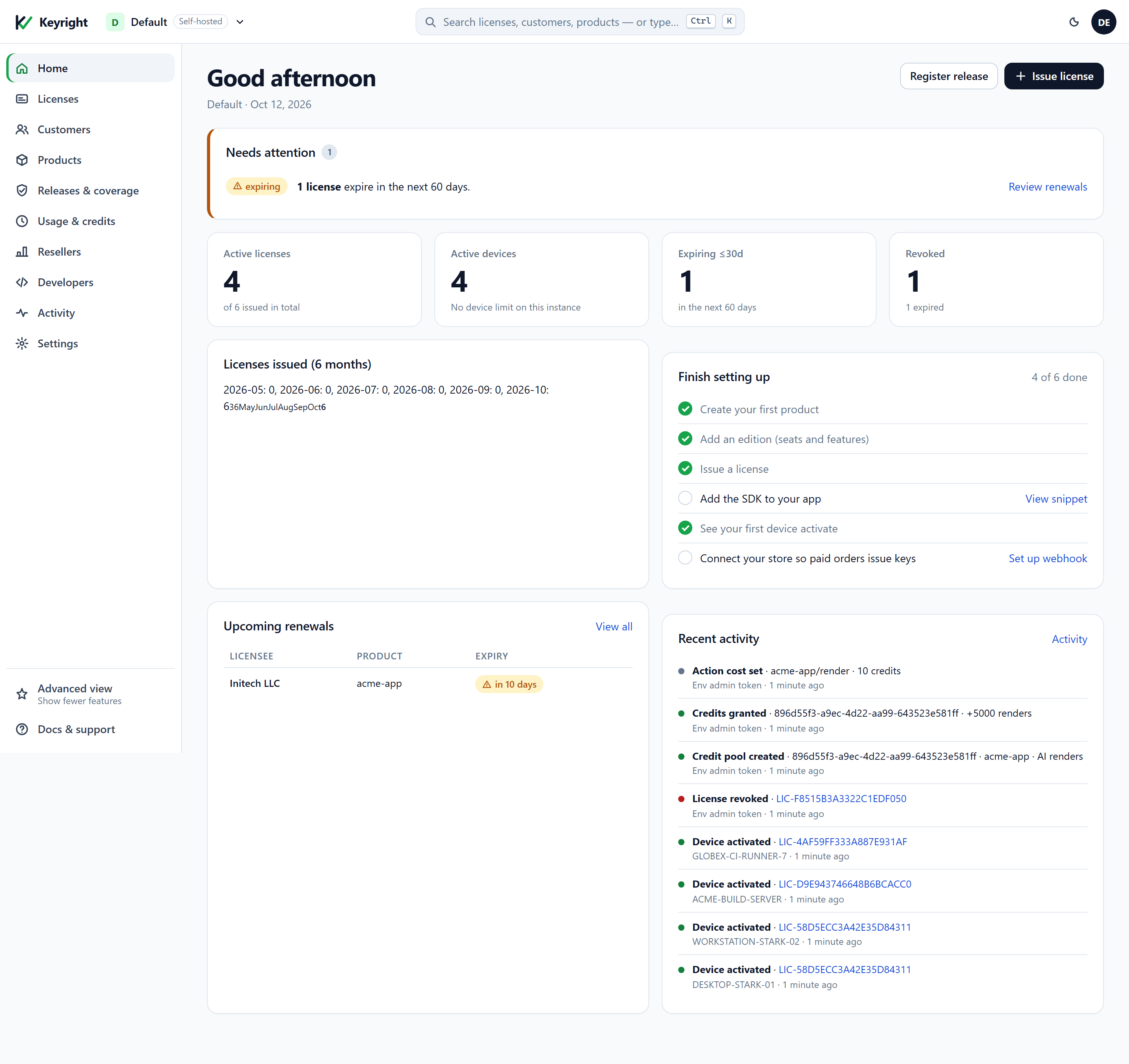
The issuing service includes a web dashboard — this is what your workspace looks like once you’ve created a product and issued a few licenses:
Keyright Cloud vs self-hosted
Keyright runs in one of two deployment modes, and this handbook covers both side by side.
| Keyright Cloud | Self-hosted |
|---|---|
| We host the issuing service at keyright.delta1labs.com. Sign up, create a workspace, and start issuing keys — nothing to deploy or operate. | You run the issuing service in your own infrastructure (including fully air-gapped). You own the data and the uptime, and license material never leaves your network. |
The part you build against is identical either way: the SDK you embed, the signed license and lease format, and the public key you ship don’t change. Only two things differ — the service URL your app points at and the admin credential you use to manage the workspace. Throughout the docs, $BASE is your issuing service URL and $TOKEN is your admin credential (sent in the X-Admin-Token header).
How to use this handbook
- Getting started — the end-to-end vendor path for both Cloud and self-hosted: get an issuing service, create a product, put the SDK in your app, issue a license, and go live.
- Use cases — one task guide each: free trials, activation & seats, feature gating, selling upgrades, metering & credits, store fulfillment, revoke / renew / expiry, and offline & air-gapped.
- SDK integration — the full client walkthrough per language: .NET, Node.js, Python, Java, or the raw HTTP API.
- Self-hosting — run and license your own instance: the deployment guide and licensing & editions.
- Reference — the dashboard quick reference (where to do each task in the web UI) and the HTTP API reference.
Below, the same destinations grouped by what you’re trying to do.
Integrate licensing into your app
- Getting started — the end-to-end path: get a signing key, issue your first license, verify it in your app (offline + online), and a go-live checklist.
- Pick your SDK — a complete client walkthrough per language: .NET, Node.js, Python, Java. No SDK for your language? Use the HTTP API directly (Go, Rust, C++, PHP…) — including how to verify a lease signature yourself.
- Self-service free trials — enable per-product trials, let customers self-serve a trial key from your own site, and hand out offline trial files for air-gapped evaluators.
Understand the model
- Activation & deactivation — every activation and deactivation path for trial, annual (term) and perpetual licenses: online, offline/air-gapped, and vendor-side — and exactly what your app sees in each case.
- Security & the lease model — the honest account of how keys and leases are secured, why a single-seat license can’t run on two machines even offline, what “tamper-proof” really means, and how the short-lived lease renews and behaves offline.
Operate & administer
- Dashboard quick reference — a short index of the web dashboard at
/dashboard: how to sign in, the Basic / Intermediate / Advanced views, and a task → where-to-do-it table. - HTTP API reference — a readable map of every endpoint (Runtime
/v1/*, Admin/admin/*, Platform/platform/*, Auth/auth/*, Plans, Webhooks) with method, path, and auth.
Key concepts in one paragraph
A tenant is an isolated vendor workspace with its own signing key (RSA; the private key is held encrypted at rest and never leaves the service — your app only ever embeds the public key). A tenant defines products, each with tiers (seat counts + entitlement templates). A license is issued for a product/tier to a licensee, with a seat count and optional expiry. Your app either ships with a signed offline license file, or performs online activation: it POSTs the license key + a stable machine id to /v1/activate and gets back a short-lived signed lease bound to that machine; the SDK verifies the lease against the embedded public key and re-activates before expiry. Plans (Free/Starter/Growth/Scale/Enterprise) gate a tenant’s quotas (active licenses, products).